
Previous Chapter:What is the Difference Between FFC and FPC Connectors?
Next Chapter:A detailed guide to capacitor symbols
What is a D-sub connector, it's working principles, types and advantages?

Post Date:2024-06-25
What is a D-sub connector?
The d-sub connector is a kind of connector. The d-sub connector is produced and designed with a variety of models, options and accessories, which is a very economical interconnection solution. Including high and low frequency mixing, high current and high density d-sub connector, d-sub connector, including insulation body, harpoon plate lock, back cover and multiple conductive terminals; after assembly, the harpoon plate lock is limited to the limit mechanism, thus effectively solving the existing d-sub connector because of the harpoon plate lock. The height of the feet is unreliable and easy to rotate.It usually consists of two parts: a plug and a seat. The connection between the plug and the seat is realized through pinholes and pins, which can transmit video, audio and digital signals, and can provide a large number of connections.
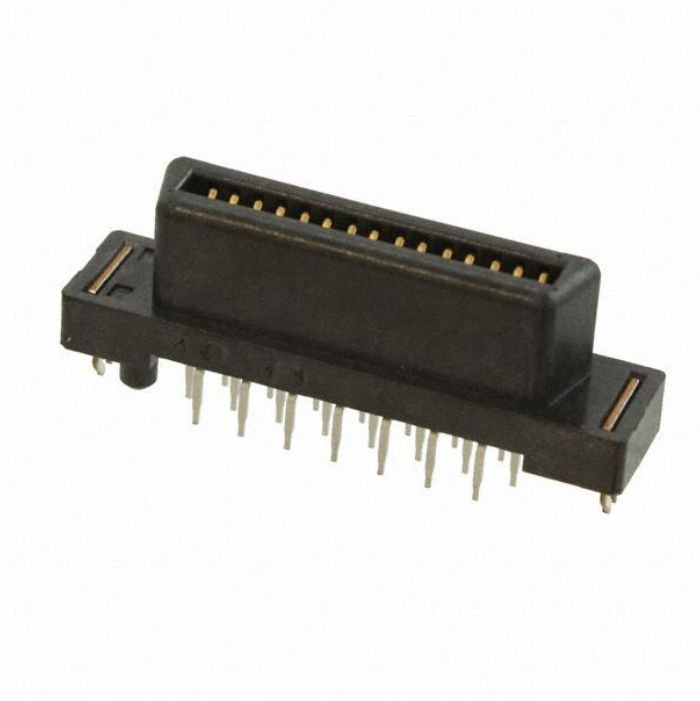
D-sub connector types
There are many types of D-sub connectors, which are mainly distinguished according to the number of pins, arrangement, application purpose and size.Here are some main types of D-sub connectors:
1. Classify according to the number of pins and the arrangement
DA: This is the most standard D-sub connector type, with two rows of pins, which are usually used for low-density connection requirements.
DB: There are more pins than DA, and it is also a two-row layout, which is one of the widely used types, such as DB9 and DB25.
DC: D-sub connector with three rows of pins for applications that require more connections.
DD: It has three rows of pins, but has more pins than the DC type.
DE: The smallest D-sub connector with two rows of pins, often used in space-limited applications.
DF: It has three rows of pins, and the size is larger than the DD type.
DZ: Designed with four rows of pins for special applications.
2. Classify according to performance and durability
Standard D-sub connector: suitable for general applications and provides basic connection functions.
High-density D-sub connector: Contains more pins in the same shell size, which is suitable for dense connection applications with higher pin requirements.
High-performance D-sub connector: provides improved signal integrity and higher current capacity, suitable for more demanding industrial and military applications.
Waterproof D-sub connector: It has a waterproof function and is suitable for external environments or applications that require waterproof protection.
3. Classification according to the purpose of application
Standard communication interface: D-sub connector used by RS-232, RS-422, RS-485 and other communication standards.
Video interface: For example, VGA interface, use DB15 model D-sub connector.
Game joystick interface: the game port used on early personal computers.
Power connector: A D-sub connector specially designed for transmitting power, with thicker pins to accommodate greater current.
What are the advantages of the D-sub connector?
1. Compatibility:The D-sub connector is highly compatible in design. Their standardized design means that they can be easily connected to many different devices without the need for special interfaces. This was particularly important in the early computer and communication equipment. At that time, the technical environment did not have the same unified standard as it is now.
2. Convenience:
The D-SUB connector adopts a push-pull plug-and-plug design, which is convenient and fast, and can quickly connect and disconnect the circuit.
3. Multi-functionality
sub connectors have a variety of models and specifications, such as DB9, DB15, DB25, etc., which can be used in different application scenarios. It can be used for a variety of functions such as data transmission, video output, audio output, power connection and control signal transmission to meet the connection needs of different devices.
4. High-density connection
The pin and pinhole layout of the D-sub connector is dense, which can transmit and connect multiple signals in a smaller space. This makes the D-sub connector particularly advantageous in space-limited application scenarios, such as computer motherboards, industrial control equipment, etc.
5. Stability and reliability
Due to the design of the connector, the connection between the D-sub connector socket and the plug is very stable and not easy to loosen. This ensures the stability and reliability of signal transmission and reduces the failure caused by poor contact.
6. Durability
D-sub connectors usually use metal shells and pins, with strong durability and corrosion resistance. This enables the connector to work steadily for a long time in harsh working environments, such as industrial control systems, automotive electronic equipment, etc.
7. Easy to install
The D-sub connector is usually designed with a threaded connection or snap connection, which is easy and fast to install. Users only need to plug the plug into the socket and tighten the screw or press the lever to complete the connection without additional tools.
8. Easy maintenance
Due to the simple structure of the D-sub connector, it is relatively easy to maintain and replace. Once the connector fails or needs to be replaced, users can easily remove the connector and repair or replace it without the need to disassemble the equipment on a large scale.

Compared with some special connectors, the cost of D-sub connectors is relatively low, but the performance is stable and reliable. This makes it the preferred connection solution for many device manufacturers and users.
In summary, the above characteristics make the D-sub connector play an important role in the connection and communication of various electronic equipment, and are widely used in industry, computer, communication, automobile and other fields.
Are D-sub and VGA the same thing?
VGA is a kind of D-sub connector. D-Sub connector, also known as VGA terminal or VGA connector (Video Graphics Array connector), is a common form of D-Sub interface. Therefore, when referring to D-Sub connector When connecting, it usually refers to the VGA interface. This interface was launched by IBM and PS/2 machine in 1987. As a video transmission standard, it has the advantages of high resolution, fast display rate and rich color, and has been widely used in the field of color displays. Although the VGA interface originally referred to the display mode of 640X480, it has become one of the most widely used interface types in the computer display interface, and most graphics cards have such an interface. In most cases, D-Sub and VGA can be used interchangeably, referring to the same interface type.What is the difference between DB9 and D-sub-9?
DB9 is a common model in the D-Sub connector, with 9 pinholes (female) or 9 pins (male). The DB9 connector is sometimes also called DE9, D-Sub 9-pin connector, where "E" represents the size of the shell. So the two refer to the same connector.What is the size of the D-sub connector shell?
D-sub connectors have five different connector housing sizes. Each shell size can have two different pin configurations. The standard shell size has two rows of pins, and the high-density version has three rows of pins.How do you connect to D-sub?
The following are the general steps to connect the D-sub connector:1. Confirm the connector type: First, confirm the D-sub connector type on the device (for example, 9-pin, 15-pin or 25-pin) and the corresponding cable to ensure that the connector and cable are matched.
2. Power off: Before connecting, make sure that the power supply of the connected device is turned off to prevent an electrical short circuit that may cause damage to the device.
3. Align connector: Align the pin of the D-sub connector with the socket on the device. Usually, the D-sub connector has two asymmetric rows, which can help you easily plug it into the socket correctly.
4. Insert the connector: Gently insert the D-sub connector into the corresponding socket until it is fully inserted and cannot continue to push in. Be careful not to use too much force, otherwise it may damage the pin or device.
5. Tighten screws: The screws on both sides of the D-sub connector are used to fix the connector. Gently tighten the screws to ensure that the connector does not loosen unexpectedly. But please don't tighten it too much to avoid damaging the device or connector.

7. Turn on the power: After the connection is completed, turn on the power of the device. Now, it should be possible to transmit signals between devices.
Please operate according to your device type and connection needs. Different devices may have different connection methods, so be sure to check the user manual of the device to understand the specific connection process before connecting.
Statement
All articles (images, texts, audio) on this site are uploaded and shared by users, or integrated from relevant internet sources, only for user's learning. If your rights are violated, please contact the administrator to delete! Link to this article: https://www.jinftry.com
Previous Chapter:What is the Difference Between FFC and FPC Connectors?
Next Chapter:A detailed guide to capacitor symbols